In this article:
1. How Groups work
1.1 Creating a new group
1.2 Managing groups and adding users
1.3 The difference between groups and departments
1. How Groups work
Groups are collections of users where all travel rules come together: policies, approvals, invoice profiles, and payment methods. Typically companies use the groups feature to organise their team members around approval workflows, travel policies or certain travel categories (eg "marketing: senior travellers").
Groups can be assigned to travel policies, as well as payment methods. You can check if the group have payment method available for use by hovering on the status icons.
1.1 Creating a new group
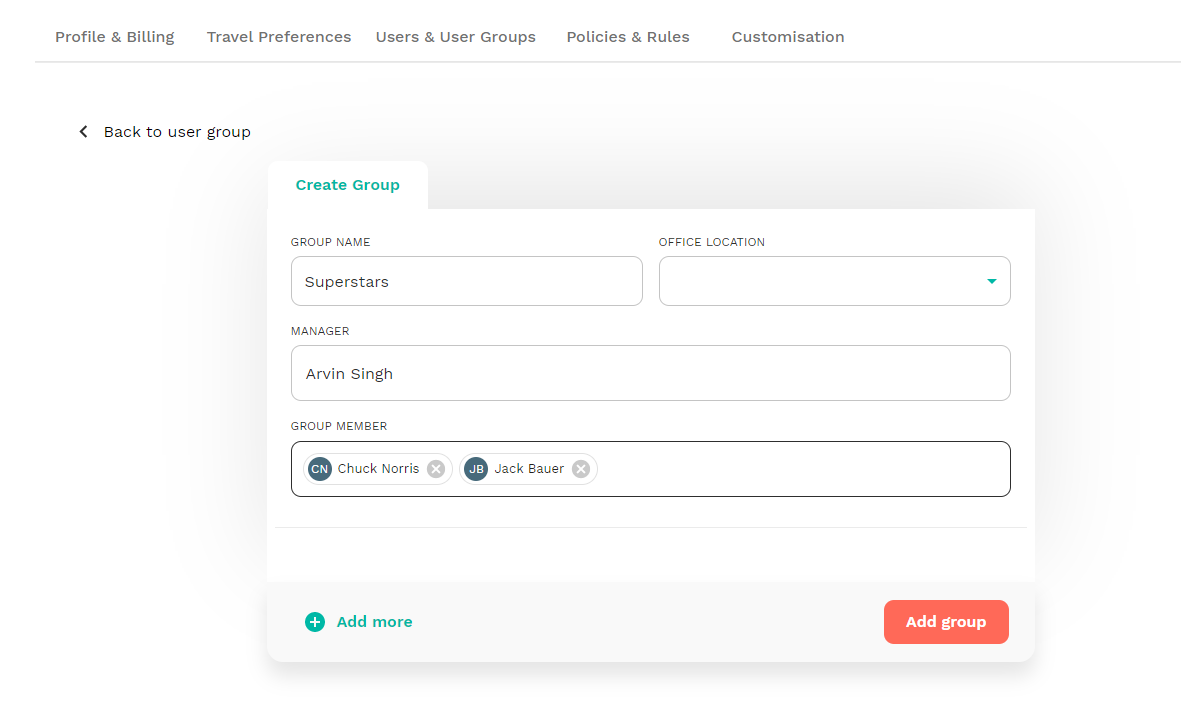
From the main menu go to Users -> Groups and click "Add new Group". Make sure to at least add the group name. Location, manager and members can be added later if needed.
1.2 Managing groups and adding users
When you click on the group name from the groups page, you'll be guided to group management. On this page you'll finda few things:
- Members: You can add as many travellers to your group as you want. Keep in mind that a traveller can only be part of 1 group at a time.
- Managers: A group manager will have the capability to view and edit all user profiles as well as bookings made by users in the group.
-
Approvals: The group manager is also the default approver for all members of the group. You could can however change this, if you want different people to be the default the approvers instead.
If enabled, you can also create custom approval rules for this specific group. More about that here. - Assign a payment method: When you add a payment method to the group, all group members will have access to that specific payment method. More about payment methods here.
1.3 The difference between groups and departments
Groups are operational. They are where your travel setup comes together and where rules are applied. Policies, approval workflows, invoice profiles and payment methods are typically assigned at the group level. Because of this, groups usually reflect how travel decisions are managed inside the company. For example, different approval chains, different payment methods, or different travel policies often require separate groups.
Department information appears in CSV exports and reporting, and can also be used when creating budget or spend reports to track travel costs by team or cost centre.
More about departments in this help article